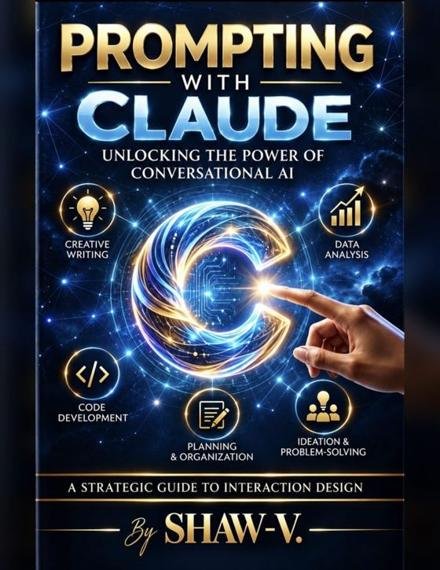
Prompting with Claude
How to use this book
This book gives you 100 prompts you can copy into Claude today. A prompt is the message you type to tell an Artificial Intelligence (AI) tool what you want. Good prompts get better answers, and you do not need to be a tech expert to write them.
Most prompts have [brackets]. Replace the words inside the brackets with your own details. Leave out the brackets themselves.
The prompts are sorted into six parts: Write Better, Create Ideas, Learn Something, Make a Plan, Solve a Problem, and Build a Business. Start with any part. Each part ends with a practice page where you can write your own version. Reading the e-book? Keep a notebook or a notes app open and write your versions there.
Most prompts work with a free Claude account. A few use extras like file uploads, web search, Projects, or downloadable files. Some must be turned on in your settings, and limits differ by plan.
How each prompt is set up
00 · The name of the prompt
Use it when: a short note about when this prompt helps.
COPY-AND-PASTE PROMPT
The words you copy, with [brackets] for your own details.
Try this next: a follow-up message to send after the first answer.
The follow-up matters. The first answer is a draft. Asking one more clear question is how you turn a good answer into a great one.
TRY THIS NOW
Open Claude and paste this: "Read this and tell me honestly what works and what to fix first: [paste something you wrote]."
Stay safe and honest
Claude is a helpful tool, but it can still be wrong. It can sound sure of itself even when a fact, date, price, or name is made up. You are the one who checks the work.
Keep private things private
Never type passwords, bank or card numbers, Social Security numbers, or someone else's private details. Use made-up details when you practice.
Check before you share
Check every fact, number, price, law, and link with a trusted source. For health, legal, tax, or money choices, talk with a qualified professional.
Be honest about AI
Follow your school, job, and platform rules about AI. Never pass off AI-made people, reviews, or photos as real customers or real events. Label practice samples as samples.
Respect other people's work
Do not ask AI to copy someone else's book, song, art, logo, or character. Make your own.
Before you use an answer, ask yourself:
- Is every fact true?
- Does it sound like me?
- Is anything private in it?
- Would I be proud to share it?
Part 1: Write Better
Use these to write clearly, keep your voice, and get honest feedback on your words.
Prompts 1 to 17
01 · Get honest feedback
Use it when: you want the truth about your writing, not just praise.
COPY-AND-PASTE PROMPT
Read this and tell me honestly what works, what is confusing, and what to fix first: [paste text].
Try this next: "Now show me how you would fix the first problem."
02 · Keep your own voice
Use it when: AI edits make you sound like someone else.
COPY-AND-PASTE PROMPT
Here are three things I wrote: [samples]. Describe my writing voice. Then edit this new piece so it still sounds like me: [paste text].
Try this next: "Which of your edits changed my voice the most? Undo those."
03 · Fix a long document
Use it when: you have many pages to clean up.
COPY-AND-PASTE PROMPT
I am sharing a [number]-page document. Find repeated ideas, unclear parts, and places that drag. List them by page.
Try this next: "Rewrite the worst section for me to review."
04 · Write a hard message
Use it when: you have to say something difficult.
COPY-AND-PASTE PROMPT
Help me write a kind but clear message to [person] about [hard topic]. I want to [goal].
Try this next: "Make it shorter and remove anything that blames."
05 · Say no politely
Use it when: you want to turn something down without a long excuse.
COPY-AND-PASTE PROMPT
Write a short, polite message turning down [request]. Keep the door open for [future option, if any].
Try this next: "Give me a version for a text and one for an email."
That is 5 of the 100 prompts.
Want to keep reading?
© 2026 SHAW-V. Published by JUSTUS Legacy Holdings LLC.